Breaking News ·
Mastering the Credit Card in My Winter Car: How to Set and Change Your PIN Easily

Unlocking the Mystery of the Credit Card in My Winter Car
If you've recently started playing My Winter Car, one of the most vital items you'll encounter is the credit card. Unlike many other survival games that rely mostly on physical cash, My Winter Car hinges on digital transactions for managing your in-game economy. This means mastering the credit card—and its PIN—is essential to progress smoothly.
What makes this system interesting is that the credit card PIN doesn’t come pre-set. Instead, it’s something you set yourself during your first interaction with an ATM. This article will guide you through everything from establishing your PIN, using the credit card properly, and even how to change it if you forget.
Setting Your Credit Card PIN for the First Time
When you first start your journey in My Winter Car, your credit card arrives without a PIN. The very first four-digit code you enter at any ATM—like the one found at the gas station—will become your permanent PIN for that save file.
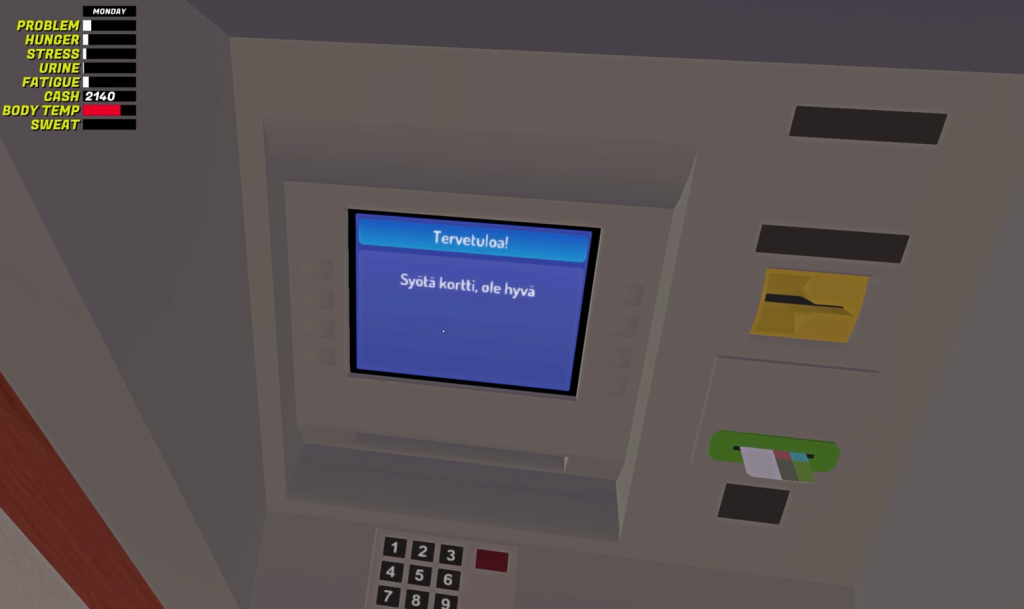
Remember this PIN carefully — once set, it cannot be changed from within the game itself. Forgetting it means losing access to your funds, which can seriously hamper your gameplay.
How to Use the Credit Card at the ATM
Using the credit card is straightforward once you’ve got your PIN locked down. Approach any ATM, use your card, and enter your PIN to unlock the menu options. Here’s a quick rundown of what you can do:
- To withdraw cash, select the option labeled Otto.
- Want to check your transactions? Select Tapahtumat.
- Choose the amount carefully before confirming your withdrawal.
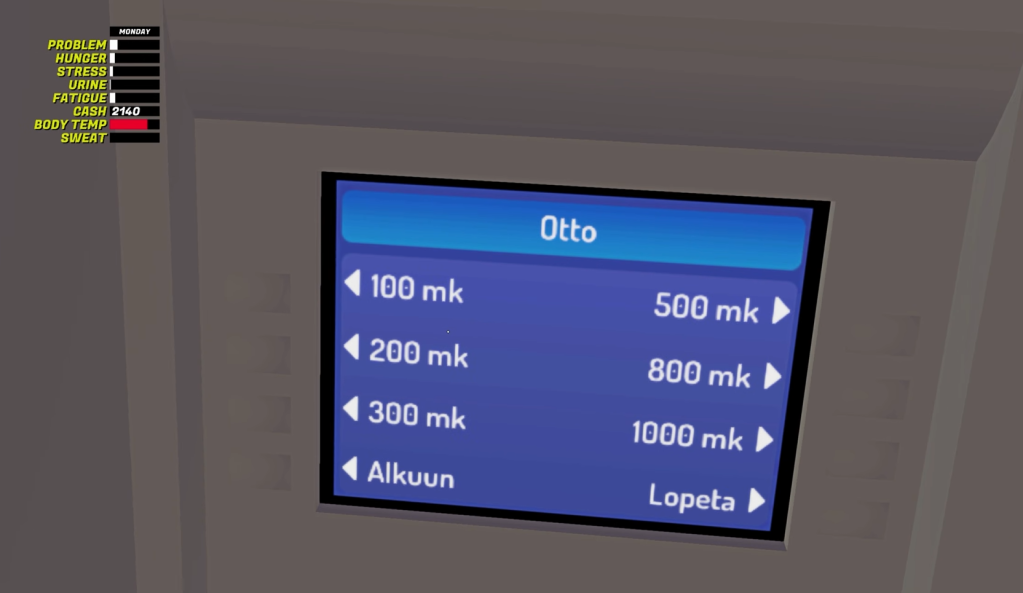
After completing your transaction, don’t forget to collect your credit card and cash. Your balance will be automatically updated on the screen, alongside other important player attributes.
Forgot Your PIN? Here’s How to Change It
If you happen to forget your credit card PIN, don’t panic. While the game doesn’t offer a direct way to reset it, there’s a reliable workaround by editing your save file.
Follow these steps carefully:
- Open the LocalLow folder located inside the AppData directory on your PC.
- Navigate to Amistech > My Winter Car folder.
- Find the file named SaveFile.txt and open it using MSCEditor or any text editor.
- Locate the entry labeled creditcardpin. This will reveal your current PIN.
- Edit this value to your desired new PIN and save the file.
Once saved, launch the game and use the new PIN at ATMs to access your funds seamlessly. This method ensures you never lose control of your in-game money due to a forgotten PIN.
Final Thoughts
The credit card system in My Winter Car adds a realistic touch to managing your finances in the game and helps reinforce immersion. Setting your PIN wisely and remembering it is crucial, but with the provided method to change it via your save file, you’ve got a solid safety net in place. So next time you visit an ATM, take control of your finances confidently and keep your winter car adventure rolling smoothly.
For more insightful gaming tips and updates like this, be sure to visit jccidc.com — your ultimate destination for all things gaming!